Assistant
The assistant takes work off your hands when you set up an event. It is switched off per organization until an admin turns it on, and afterwards it only appears where it helps: with products.
What the assistant can do
- Import a menu – Upload photos or a PDF of your menu, or paste it as text. The result is a suggestion for categories and products with price, VAT, deposit, size variants and icon, which you review and adjust in a table before anything is created. Step by step under Products → Importing from a menu.
- Icon suggestions – In the product form there is a Suggest button next to the icon field. It proposes up to three product icons that match the product name; one tap applies it. During a menu import every row gets such suggestions automatically.
That is all the assistant does. It does not order, does not take payments and changes nothing you have not confirmed in a preview first.
If you want to connect an agent of your own such as Claude or Cursor to OpenEOS, see Connecting AI agents – that works through an API token and is independent of the assistant.
Prices, tax rates or categories can be off – especially with hard-to-read photos. Check the preview before creating products. Rows the assistant is unsure about are marked in the preview.
Switching it on
- Open Settings → Organization → Assistant.
- Switch on Assistant features.
Only admins of the organization can switch it on or off; the change is recorded in the audit log. Afterwards everyone who may edit products sees the Import from menu button on the products page and the Suggest button in the product form.
While the assistant is off, admins see a short note with a link to the settings on the products page.
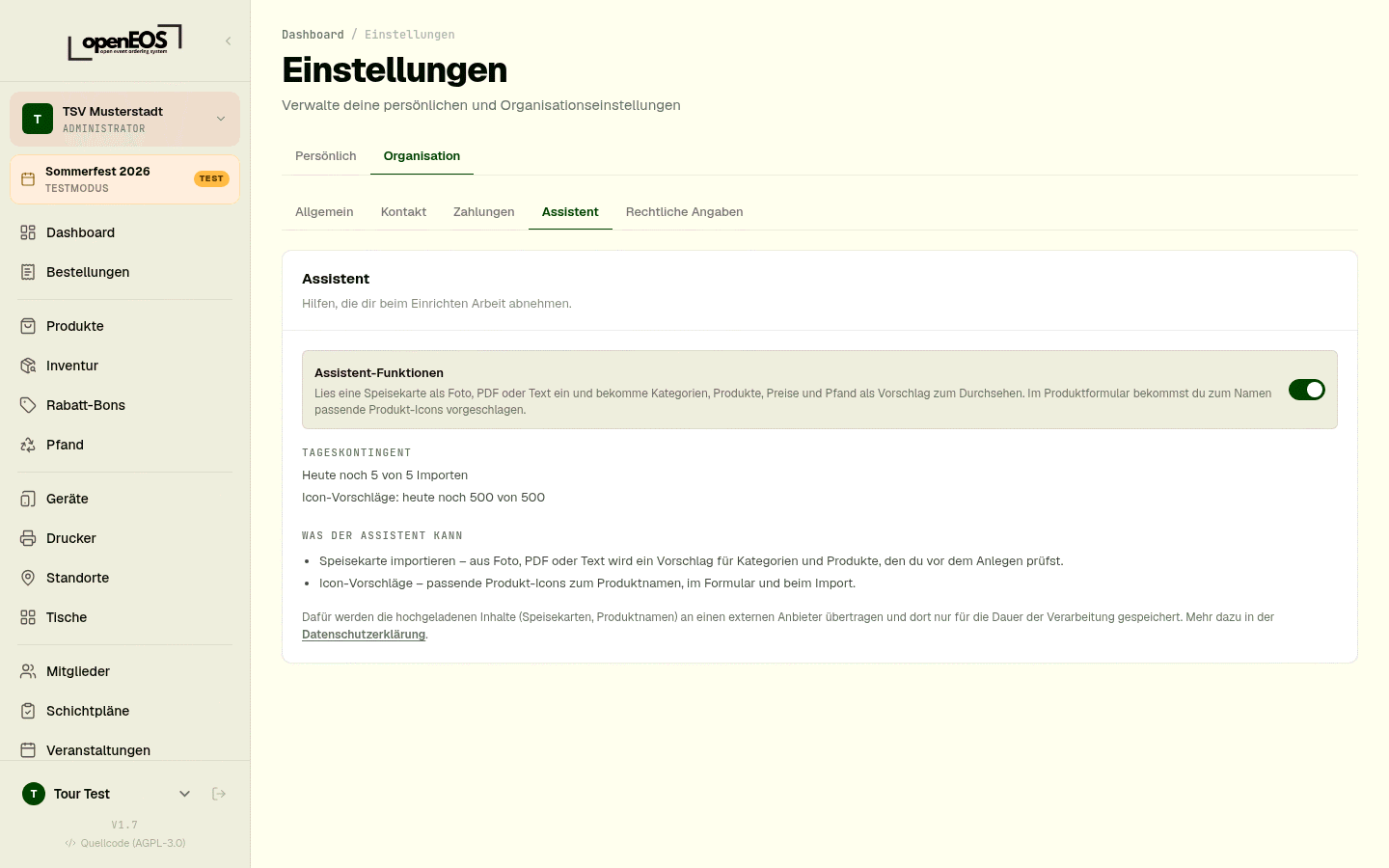
If the settings show Not set up instead of the switch, no provider for the assistant is configured on this server. On app.openeos.de this is taken care of; if you host OpenEOS yourself, follow Setting up the assistant.
Daily quota
To keep the assistant affordable for everyone there is a quota per organization and calendar day:
| Feature | Default per day |
|---|---|
| Menu imports | 5 |
| Icon suggestions | 500 |
How much is left today is shown in the Daily quota section of the settings and – during an import – in the footer of the dialog ("3 imports left today"). The counter resets at midnight (German time). An import that fails does not count. Most icon suggestions are answered without contacting the provider and do not count at all.
If you host OpenEOS yourself, you set the limits.
Privacy
For these features the uploaded content – menus as photo, PDF or text, and product names – is sent to an external provider and processed there. The following applies:
- Only what the feature needs is sent: the menu or the product names. No orders, no revenue, no member data.
- The provider keeps the content only for the duration of processing and does not use it for training its models.
- On the OpenEOS server, uploaded files are kept only until you apply or discard the suggestion – after 24 hours at the latest they are deleted. The suggestion itself (the recognized list) stays for 30 days in case you need it again. The files are not publicly reachable.
Which provider this is and on which legal basis the processing takes place is described in the privacy policy. If you prefer not to use the assistant, simply leave it switched off – everything else in OpenEOS works as before.